


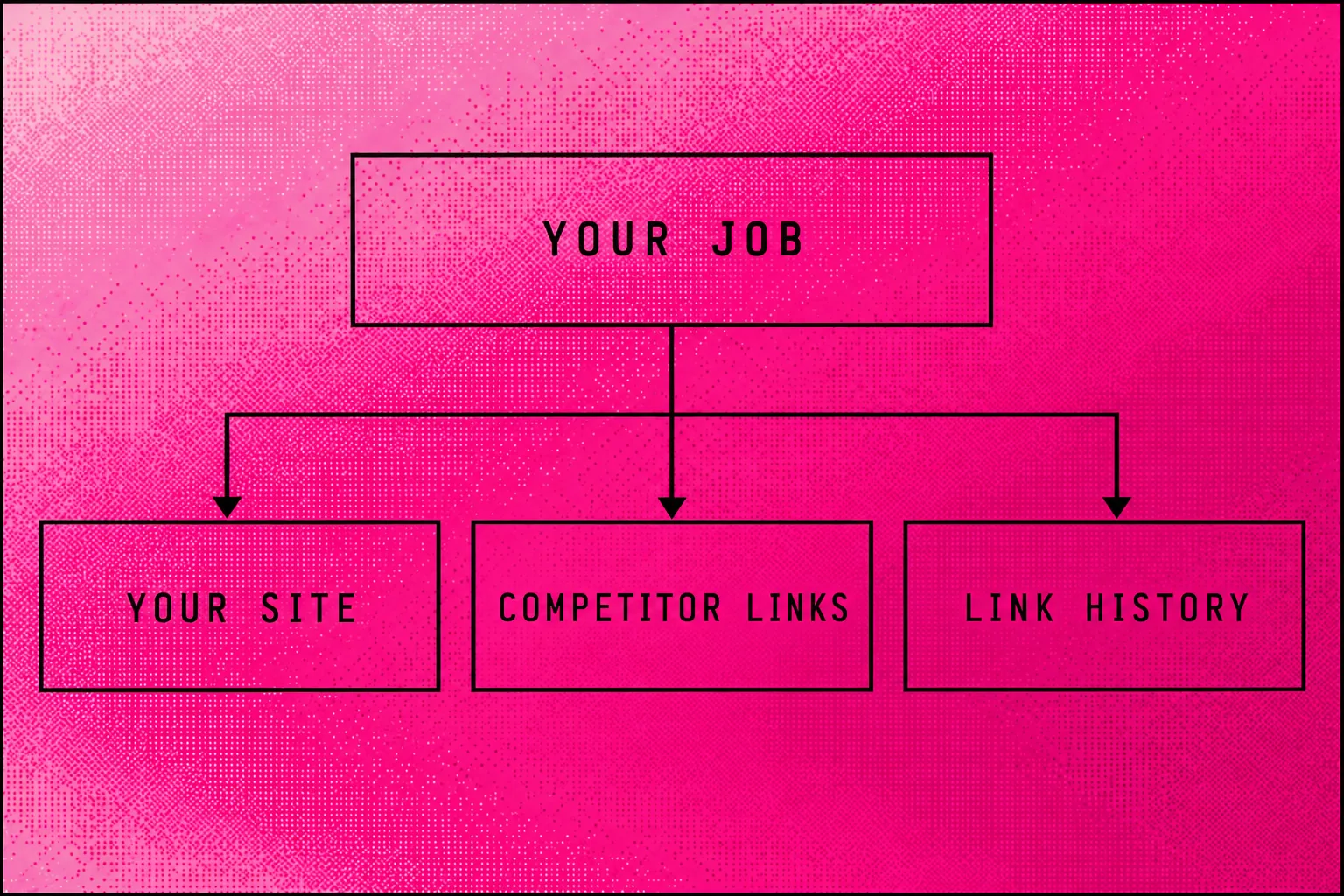
Start with Search Console for your site; I recommend Ahrefs for competitor links, Semrush for a wider suite and Majestic for link history.[1][2][4]
| Your job | My pick |
|---|---|
| Check your site | Search Console |
| Research competitor links | Ahrefs |
| Combine SEO tasks | Semrush |
| Compare link history | Majestic Pro |
| Plan backlink query capacity | Moz Standard |
Check important links on their source pages. At Searchmaxxed, we use the Managed Search Loop to choose the next job, then improve the Agentic Website and Off-Page Source Layer.
The best backlink checker for your own site is Google Search Console; my paid pick for competitor research is Ahrefs.[1][2] Choose Semrush when you want link research alongside wider SEO work, or Majestic when Fresh and Historic link data decide the job.[3][4][2]
I run Searchmaxxed, and this is my selection. I'm comparing published features and limits, not reporting a hands-on accuracy contest. Searchmaxxed supplies the managed work; it stays outside the tool list.
Which is the best backlink checker for your job?
Google Search Console is my starting point for an owned site; Ahrefs is my pick when competitor backlink research drives the purchase.[1][2] Moz deserves a look when you want explicit backlink query allowances, while Majestic separates Fresh and Historic access by plan.[5][4]
| Tool | Best for | Starting price | Engines tracked |
|---|---|---|---|
| Google Search Console | Your site's links | Free | |
| Ahrefs | Competitor link research | Starter $29; Lite $129/month; currency unstated | Backlink analysis |
| Semrush | Links within an SEO suite | $139.95/month; currency unstated | Backlinks; AI: Google, ChatGPT, Perplexity, Gemini on Starter |
| Majestic | Fresh and Historic analysis | Lite USD $49.99; Pro USD $99.99/month | Fresh on Lite; Historic on Pro |
| Moz Link Explorer | Backlink query capacity | $49/month; Starter currency unstated | Backlinks; GPT, Gemini, Google AI Mode, Perplexity on Standard |
Price sources: official pages, 6 October 2026. Confirm Starter's backlink limits with Ahrefs and Moz before subscribing.[7][5] Semrush offers a free account.[3] Majestic excludes VAT; GST is unstated.[4] Confirm the dollar currency before setting an Australian budget.
The engines column distinguishes backlink analysis from AI-answer tracking. A prompt allowance counts a different task from a backlink query.[3][5] Decide which you need before comparing subscriptions.
Google Search Console: start with your own site
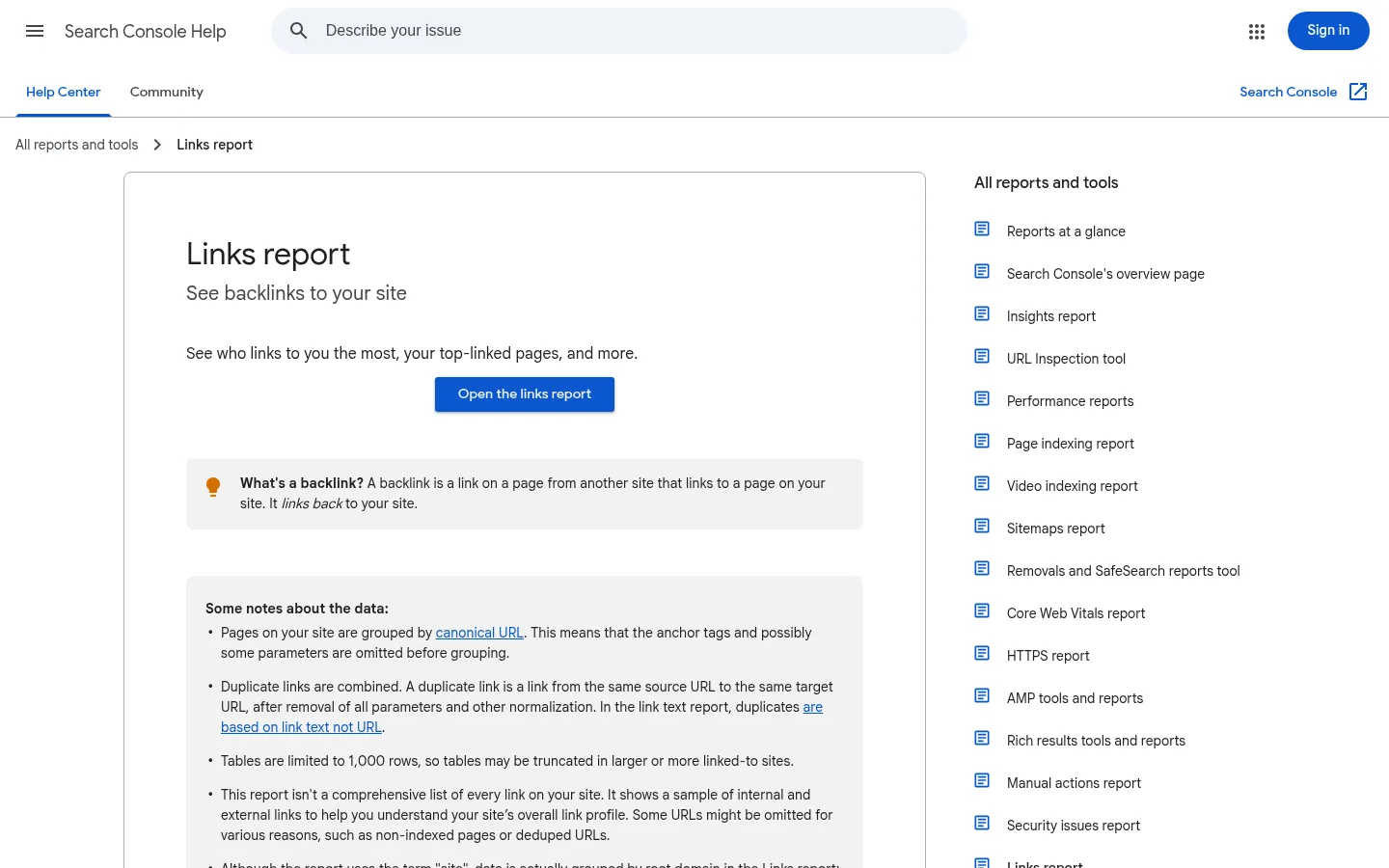
Google Search Console is my first choice for your own site's links because its Links report shows linking sites, pages and text.[1] Keep its sample and export limits in mind.[1]
- What it does: Separates external links from links within your property.[1] You can drill down from a target page to the pages linking to it.[1]
- Engines tracked: Google supplies the Links report data.[1] It includes links Google discovered over time, including some that have since disappeared.[1]
- Starting price: Free for website owners.[6]
- Free trial: It's a free tool, so you don't need a paid trial for this check.[6]
- What it cannot do: The report cannot give you every backlink or identify nofollow status.[1] Tables stop at 1,000 rows.[1]
- Best for: Your first review of who links to your site. Pair it with another source when you need competitor research.
Start with the page you care about. Google's whole-site total won't tell you whether that particular page has the links you expected.[1]
Ahrefs: my pick for competitor link research
Ahrefs is my paid pick for competitor research because Site Explorer supports backlink analysis and Link Intersect finds shared competitor sources.[2] The subscription decision turns on the work you need and the limits you can live with. I wouldn't choose a tier from its headline price alone.
- What it does: Site Explorer shows backlink profiles; Link Intersect finds sites linking to competitors but not you.[2] Lite includes Site Explorer, API access and the MCP server.[7]
- Engines tracked: The pricing page includes tracked AI prompts, but doesn't name the platforms.[7] Treat AI coverage as a separate purchase check.
- Starting price: Starter shows $29/month; Lite shows $129/month.[7] The page doesn't specify the currency.[7]
- Free trial: Ahrefs Free gives website owners limited access to Site Explorer and Site Audit.[7] A free account differs from full paid access.
- What it cannot do: Lite limits each report to 2,500 rows and each user to 1,000 monthly credits.[7] The page doesn't list Starter's detailed allowances.
- Best for: Competitor prospecting where you'll inspect the linking pages and turn the shortlist into link-building work.
Semrush: compare links alongside wider SEO work
Semrush is my choice when backlink research shares a budget with keyword research, competitor analysis and site audits.[3][2] Backlink Analytics accepts your site or a competitor's site.[2] That makes it a candidate for teams that want several jobs inside one subscription.
- What it does: Backlink Analytics examines profiles; the Backlinks report covers incoming links and anchor text.[2] The SEO plan includes keyword research, Position Tracking and Site Audit.[3]
- Engines tracked: Starter names Google Search, ChatGPT, Perplexity and Gemini in its AI coverage.[3] It includes 50 prompts for daily tracking.[3]
- Starting price: SEO shows $139.95/month or $117.33/month billed annually.[8] Starter shows $199/month; the page doesn't state the currency.[3]
- Free trial: The page offers “Try for free” without stating a duration.[3] Its free account includes ten daily reports across its main tools.[3]
- What it cannot do: The free account can't provide unlimited reports.[3] The pricing page doesn't list paid backlink export limits.[3]
- Best for: A team combining competitor link research with other SEO tasks. Confirm the backlink allowance before treating the wider suite as a match.
Majestic: choose Fresh or Historic link data
Majestic is my pick when Fresh Index versus Historic Index access changes the decision.[4] Lite includes Fresh Index; Pro adds Historic Index and Index Merger.[4] Choose the dataset first, then check whether the plan's row allowance lets you finish the research.
- What it does: Lite includes Site Explorer, Link Context, Trust Flow and Topical Trust Flow.[4] Pro adds raw exports, Compare Sites and Clique Hunter.[4]
- Engines tracked: The offer centres on web-link indexes. The pricing page doesn't offer AI-answer tracking.[4]
- Starting price: Lite costs USD $49.99/month.[4] Pro costs USD $99.99/month; both exclude VAT.[4]
- Free trial: The page offers new Lite and Pro customers a seven-day money-back guarantee.[4] That requires a purchase and differs from a free trial.
- What it cannot do: Lite doesn't include Historic Index.[4] Its Site Explorer allowance is 5,000 rows per search; Pro permits 30,000.[4]
- Best for: Link-focused research where you need to distinguish recent-index access from a historical dataset.
Keep analysis units separate from row counts. Majestic Lite includes one million analysis units, but that doesn't mean every search returns one million backlinks.[4]
Moz Link Explorer: compare the query limits
Moz Link Explorer is my pick when published backlink query limits drive your purchase.[5] Moz offers limited free access through a Community account.[5] Compare the fully described Standard tier with your workload before choosing its cheaper Starter offer.[5]
- What it does: Link Explorer supports backlink research.[5] Moz Pro also includes site campaigns, keyword tracking and crawling.[5]
- Engines tracked: Standard names GPT, Gemini, Google AI Mode and Perplexity for its AI tracking.[5] It includes weekly prompt tracking.[5]
- Starting price: Starter shows $49/month without an explicit currency suffix.[5] Standard shows USD $99/month, or USD $79/month when paying yearly.[5]
- Free trial: The official page offers a trial without stating its duration.[5] A Community account gives limited Link Explorer access.[5]
- What it cannot do: Standard stops at 10,000 results per backlink query.[5] Its monthly allowance is 5,000 backlink queries.[5]
- Best for: Planning research capacity from both the number of searches and the results each search can return.
The Starter price and Standard quotas describe different plans. Keep them together only if the plan labels stay visible.[5]
Which backlink checker is most accurate?
Google Search Console supplies a sample of Google's known links, not an accuracy benchmark for every other backlink checker.[1] My recommendations describe which tool fits a job, not which tool is most accurate.
Define what you want to test. Are you checking whether known live links appear, whether returned links still exist, or how much history you can inspect? Those are different questions.
Google warns that its report can retain removed links and dead pages.[1] A bigger total can therefore include records that no longer describe a live link.[1] Open the source page before deciding that a missing or lost link needs work.
For a practical test, choose a set of linking pages you can inspect. Run each candidate against the same target and on the same day. Save the scope and filters with each export. Mark each result as live, missing or unresolved after visiting its source.
Judge the tools against the task you need to finish. A database-size claim alone doesn't answer that test.
Why do backlink checkers show different numbers?
Majestic's Fresh and Historic indexes cover different datasets; Google Search Console also samples, groups and combines links.[4][1] Two totals can therefore describe different sets of records before accuracy enters the discussion.
The differences have several causes:
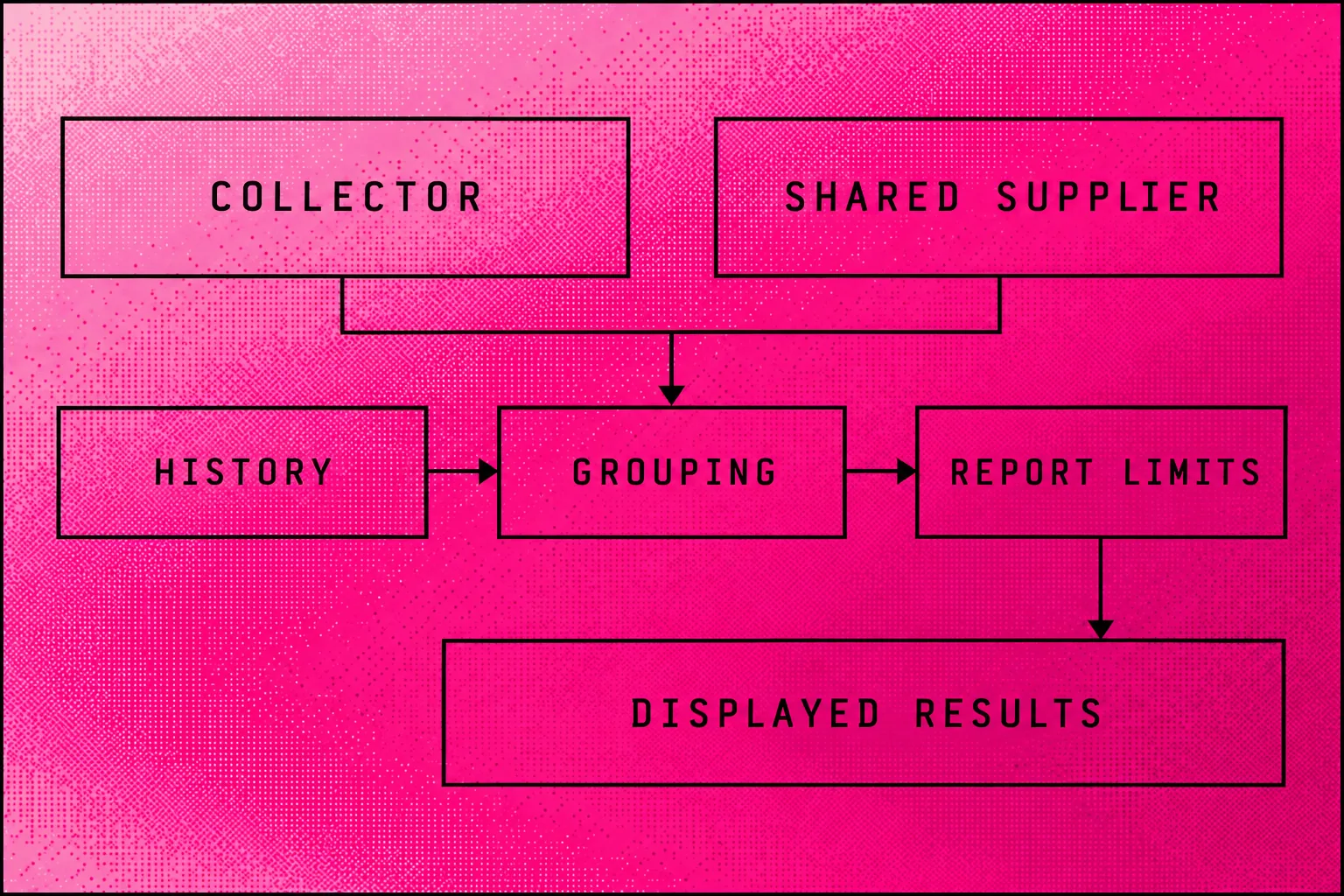
- Different collectors: WebCEO describes Ahrefs and Majestic as providers with their own databases and crawlers.[9]
- Shared suppliers: WebCEO takes backlink data from Majestic; Respona's free backlink search uses Semrush.[9][10] Buying another interface may still mean querying the same supplier.
- History: Majestic puts Historic Index access in Pro. Google includes links it discovered over time, even when some disappear.[4][1]
- Grouping: Google groups target pages by canonical URL and combines duplicate source-to-target links after normalisation.[1] It groups linking sites by root domain.[1]
- Access limits: Google tables, Ahrefs report rows and Moz query results have different limits.[1][7][5] A visible table can stop before the underlying dataset ends.
A backlink count describes links; a referring-domain count describes the sites supplying them.[1] Google's report separates linking sites from linked pages.[1] Compare the same unit and target scope before interpreting the gap.
How to check backlinks in Google Search Console
Open Google Search Console's Links report, then use External links to inspect linking sites, target pages and link text.[1] Follow these five steps for your own property. Keep each export with its date so you can compare later checks.
- Open Links. Start in the property whose backlinks you want to examine. The report separates External links from Internal links.[1]
- Inspect Top linked pages. Click MORE, then select a target page to see its top linking sites.[1] Start with a service or product page you want people to find.
- Inspect Top linking sites. Click MORE, then select a site and a target page to reach the linking-page list.[1] Google displays linking sites by root domain.[1]
- Review Top linking text. Open MORE to see the anchor text, meaning the text people click. Google combines exact matches without regard to letter case.[1]
- Export the data. The report's landing-page Export button offers Latest links and More sample links, each with up to 100,000 rows.[1] Single-table exports stop at 1,000 rows.[1]
Latest links sorts Google's discoveries by discovery date.[1] More sample links draws a sample from the wider set Google knows.[1] Neither export promises every backlink.[1]
If Target URL differs from the expected page, investigate the path. Google says a redirect or its canonical choice can explain the difference.[1] Your technical SEO work should check where the link sends a visitor before changing the destination.
Is a free backlink checker enough?
Ahrefs Free, Moz Community access and Semrush's free account give you ways to start without a paid subscription.[7][5][3] I would pay when a specific report limit or competitor task prevents you from finishing the work.
For a competitor preview, Respona says its free checker reveals any website's top backlinks using Semrush data.[10] Treat “top backlinks” as a preview, not a promise of the full profile. Ahrefs Free gives website owners limited Site Explorer and Site Audit access.[7]
The published limits make the tradeoff concrete. Semrush's free account allows ten daily reports across its main tools.[3] Moz Standard allows 5,000 backlink queries each month and 10,000 results per query.[5] Those figures describe different billing plans and different units.
Our backlink checker is another starting point for a check. Compare its displayed scope with the question you're trying to settle before relying on a total.
How to choose a backlink checker
At Searchmaxxed, we choose the next SEO job from the evidence and the work it can justify. Apply the same test to a backlink subscription: decide what you'll do with the result before buying more reports.
Try this purchase checklist:
- Decide whether you're checking your site, a competitor or historical links.
- Run the candidate against the exact site or page you care about.
- Check which report and export limits apply to that plan.
- Open important source pages and confirm where their links lead.
- Choose the subscription that lets you complete the task within your budget.
For each link you plan to act on, keep a short worksheet:
| Field | What to record |
|---|---|
| Source | The linking page URL |
| Destination | The page the link points to |
| Observation | Live, missing or unresolved |
| Evidence | Tool, date and report scope |
| Next job | Investigate, repair or research a source |
| Follow-up | Who checks the result and when |
If you're building links, I recommend reviewing this worksheet each week and checking a new placement when it goes live. If you're inspecting an existing site, begin with the pages that matter to your sales. Keep discovery and completed work separate so an exported row doesn't become a claimed result.
Where does Searchmaxxed fit?
Searchmaxxed does agentic SEO through the Managed Search Loop: AI agents help us research and choose work, and people approve each public change. We build the pages on your Agentic Website and develop links and mentions through the Off-Page Source Layer.
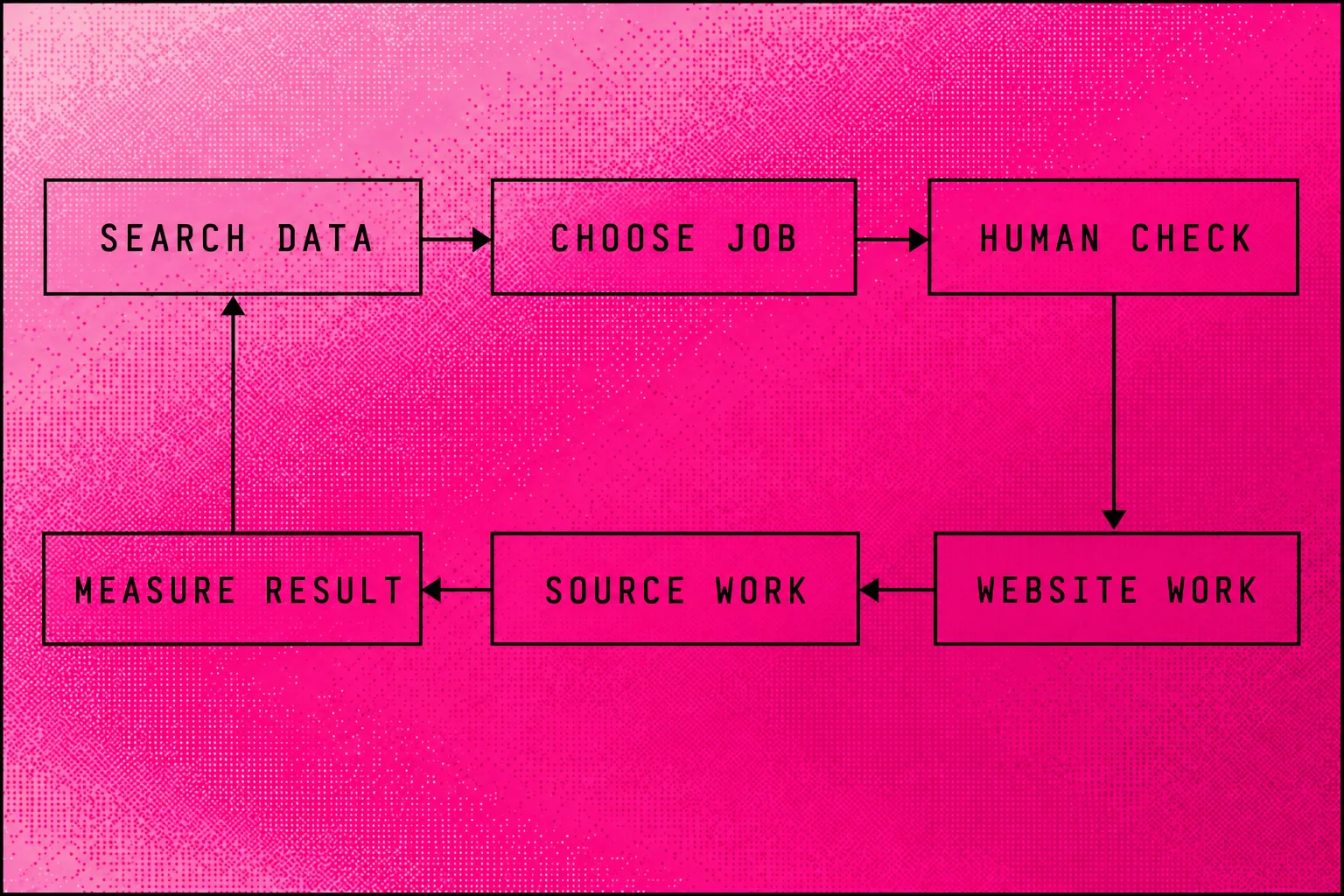
We connect your whole Search Console and GA4. GA4 shows how people use your site. Our agents check competitor sites, Google results and AI answers every week. We compare that evidence with your plan and pick the next job.
Our Managed Search Loop moves from measurement to a change, a live check and another measurement. For a backlink review, I would use it to decide whether the next job sits on your website or another site.
We build and fix pages on your Agentic Website, which you own on GitHub and Vercel. We develop links, reviews, citations, press and mentions through the Off-Page Source Layer. A person checks each change before it goes live. The agents then measure what happened and help us choose the next job.
Before Searchmaxxed, I built Radiant Roof Repairs from zero to more than $1 million a year in revenue using SEO as the only marketing channel. I did the pages, research, competitor checks and updates manually. The Radiant Roof Repairs case study covers that work.
Our packages set the scope:
- Local Search: Service and location pages, daily Google Business Profile management, reviews, local links and citation cleanup.
- Growth System: Page releases, technical fixes, internal links, source-layer basics, qualified link work and AI tracking.
- Agentic Search Engineering: Everything in Growth System, plus comparison and industry pages, digital PR, link campaigns and wider AI tracking.
- Custom & Enterprise: Scope can include multiple markets, dedicated engineering, custom reports and original research.
For a new site, the Agentic Website Full Build includes market research, design, pages, technical SEO and measurement. Agentic Migration keeps a design worth keeping and moves the site to an owned repository. The AI SEO Audit gives you the fixes and the plan.
Frequently asked questions
What is a backlink?
A backlink is a link from a page on another website to a page on yours.[1] For example, a supplier's article linking to your service page gives that page a backlink.
What is a backlink checker used for?
Does Google have a backlink checker?
Can I analyse competitor backlinks for free?
Yes. Respona's free checker offers any website's top backlinks using Semrush data.[10] For a larger research task, compare the preview with the reports and limits of a paid plan.
Is Ahrefs free for my own website?
Ahrefs Free gives website owners limited access to Site Explorer and Site Audit.[7] Keep that limited access separate from the allowances of Lite or another paid tier.
How do I check backlinks in Ahrefs?
Does Search Console show every backlink?
No. Google says the Links report shows a sample and may omit non-indexed pages or duplicate URLs.[1] A missing row alone doesn't settle whether a live backlink exists.
How many links can I export from Search Console?
Can Search Console tell me whether a backlink is dofollow?
No. Google's Links report doesn't specify nofollow status.[1] Inspect the source page for the link's current details before making a claim about its attributes.
How do I check a backlink manually?
Open the linking page and follow its link to your site. Google recommends this approach when investigating a different target URL and redirects.[1] Record the source, destination and date so another person can repeat your check.
Is it worth paying for a backlink checker?
Does Searchmaxxed give me software or run the work?
Searchmaxxed runs the agreed SEO work. We use the Managed Search Loop to choose jobs, improve your Agentic Website and develop the Off-Page Source Layer. A person approves public changes.
- Google Search Console Help: https://support.google.com/webmasters/answer/9049606
- WPBeginner: https://www.wpbeginner.com/showcase/best-backlink-checker-tools-compared/
- Semrush: https://www.semrush.com/prices/
- Majestic: https://majestic.com/plans-pricing
- Moz: https://moz.com/products/pro/pricing
- Directive: https://directiveconsulting.com/blog/best-backlink-checkers/
- Ahrefs: https://ahrefs.com/pricing
- WebCEO: https://www.webceo.com/backlink-checker-tool.htm
- Respona: https://respona.com/backlink-checker/