


To claim your business on ChatGPT, sign in to ChatGPT, open Business Hub from the sidebar and search for your business. Select your listing (or create one if Business Hub offers it), then verify it by business phone, business email, a DNS TXT record on your website's domain or your Shopify store. OpenAI reviews the claim and emails you. Then you pass a Persona identity check, which gets you the blue check, the right to edit your details and your insights. It's free. It fixes what ChatGPT says about you. It doesn't make ChatGPT recommend you.
Right now, someone is asking ChatGPT for a family lawyer, a skin clinic or a builder who does extensions. ChatGPT answers with a few names, and for the first time those businesses can see their side of it: how often they come up, how many people click through, and the topics behind it. OpenAI opened Businesses in ChatGPT in beta on 10 November 2026, and it says ChatGPT has 1.2 billion weekly users. If your hours, website or services are wrong in front of that many people, you'd want to know.
Here at Searchmaxxed, we're an AI-native search team. We make your company the answer in Google and in the AI engines your buyers ask, from ChatGPT and Claude to Perplexity, Gemini and AI Overviews. We set up Searchmaxxed's own profile on 12 November 2026, so the screens below are ours. Claim yours this week. Then, for the part a profile can't do (getting ChatGPT to name you when a buyer asks who to choose), that's our work.
In summary
- Claiming is free and done in Business Hub. Sign in to ChatGPT, open Business Hub, find your business, verify by phone, email, DNS or Shopify, wait for OpenAI's approval, then pass Persona's ID check.
- Persona is the real finish line. Until it's approved you can't publish changes, see insights, connect a product feed or get the blue check.
- Not every business can claim today. Local stores and restaurants can claim only an existing US listing, Business Agents are for eligible US ecommerce and online service businesses, and on 12 November the create flow offered no option for businesses that go to the customer. Businesses whose customers buy through their website can create a profile now, from outside the US too: we created Searchmaxxed's, an Australian business, that way.
- Insights cover the last 28 days: mentions, website clicks and discovery topics. A blank number isn't the same as zero.
- Claiming shapes accuracy, not recommendations. OpenAI says claiming "does not guarantee higher placement or sales." ChatGPT still recommends from what the web says about you: your site, reviews, directories and lists.
What is Businesses in ChatGPT?
Businesses in ChatGPT is OpenAI's way for a business to claim its profile inside ChatGPT, keep its details current and see how people find it there. It launched in beta on 10 November 2026. It has three parts, and you can use the first two without ever touching the third.
| Part | What it does | Who gets it |
|---|---|---|
| Business Hub | Where you claim your business, edit its profile and connect a product feed | Eligible businesses where ChatGPT is available, with a website |
| Insights | Aggregate mentions, website clicks and discovery topics over the past 28 days | Claimed businesses with approved Persona verification |
| Business Agent | A chatbot that answers customer questions about your products and policies, in a separate, labelled chat | Eligible ecommerce and online service businesses in the US |
When your business shows up in a ChatGPT answer, people can click through to its ChatGPT profile, and a claimed, verified one carries a blue check and shows the details the business supplied, alongside anything ChatGPT gathers from other sources. Think of it as ChatGPT's version of a Google Business Profile, without customer reviews (at launch, anyway).
One thing to know before you start: OpenAI says ChatGPT "may show information about your business whether or not you have an agent." So you already have a presence in ChatGPT. Claiming is how you get a say in it.
Who can claim a business on ChatGPT?
You can claim a business on ChatGPT if you own it or are authorised to represent it, the business has a website, and it's located where ChatGPT is available and the verification is supported. You don't need an Ads account or a ChatGPT Enterprise agreement. OpenAI also checks eligibility by industry and location, and it can decline businesses whose "offerings or practices raise significant safety or integrity concerns."
The catch is in the detail of what kind of business you are:
- Local stores and restaurants "can currently claim only an existing U.S. listing," in OpenAI's words.
- Online businesses that can't find a listing "may see an option to add it."
- Existing OpenAI Enterprise customers and advertisers can claim through their OpenAI representative instead.
- Business Agents are only for eligible ecommerce and online service businesses in the US with a website, and only in categories the Business Agents Policy allows. Being verified doesn't make you eligible for one.
Which path fits your business?
If Business Hub has no listing for you and offers to create one, it asks how customers usually interact with your business. Here's what each answer means for the businesses we work with, based on OpenAI's help guide, launch-week reports and what our own screen offered on 12 November.
| Your business | How your customers deal with you | The answer that fits | What to expect now |
|---|---|---|---|
| Law firm or accounting firm with an office clients visit | They come to your office | At a physical location | Claim it if a US listing exists. With no listing, OpenAI offers no way to add a local one yet (a business outside the US that tried was put on a waitlist) |
| Private clinic | Patients visit your rooms | At a physical location | Same as above |
| Builder, tradie or specialist contractor | You go to the customer | None yet: our 12 November screen had no option for this (launch-day reports showed "Through a service" as "Coming soon") | Claim an existing listing if there is one. Otherwise wait, unless customers really buy from you through your website |
| Agency or consultancy | Clients find you and buy through your website | Through a website, if clients buy your services through your website (that's how Searchmaxxed sells, so it's the answer we chose). Otherwise wait for a service option | Available now, including outside the US (we created ours from Australia); verification is by DNS |
| Ecommerce brand | Customers buy on your website or a marketplace | Through a website | Available now. Shopify merchants can verify by connecting their store |
Pick the answer that's true for how customers buy from you. OpenAI's policy says everything you add "must truthfully represent the business."
How much does it cost to claim your business on ChatGPT?
Claiming your business on ChatGPT is free. OpenAI lists no fee for claiming, editing your profile or seeing insights, and you don't need an Ads account or an Enterprise agreement. Advertising is a separate, paid product: businesses can sponsor their Business Agent and use it as the destination for ChatGPT Ads, and those placements are labelled as sponsored. OpenAI says advertising "doesn't influence ChatGPT's independent answers."
What do you need before you start?
Get these ready first. The two snags to avoid are a code that goes to an inbox nobody checks, and ID details that don't match your business records.
- A ChatGPT account the business owns. Use one tied to the company, not a staff member's personal account. The admin who claims is the one who adds teammates and agencies later.
- One way to prove the connection: the business phone line, the inbox at your business's email address, access to your domain's DNS settings, or your Shopify admin.
- For Persona: a government-issued ID, your business registration information (for an Australian business, that's typically your ABN details) and proof you're authorised to represent the business.
- Official records that match. Business name, address and any registration or tax number, written exactly as they appear on your registration.
- The facts you want public: a plain description, your category, logo, a cover photo, and (if you sell products) your delivery and return policies.
- Sign-off, if your profession needs it. Law firms and clinics have advertising rules. A ChatGPT profile is public content you publish, so treat it like your website.
How do you claim your business on ChatGPT, step by step?
You claim your business on ChatGPT in nine steps: open Business Hub, search, select or create your listing, answer the interaction question if you're creating one, verify, fill in the profile basics, wait for OpenAI's review, complete Persona, then finish your profile. The hands-on part is short. The two reviews take as long as OpenAI takes ("Review time varies," says its help guide), and because Business Hub is in beta the screens may shift, but the button names below are OpenAI's own.
Step 1: Sign in to ChatGPT and open Business Hub
Sign in with the company-owned ChatGPT account and open Business Hub from the sidebar. You can also go straight to chatgpt.com/business-hub. If your company uses a ChatGPT workspace, decide now whether the claim lives there or in a standalone account: OpenAI says invitees "may need to be members of that workspace."
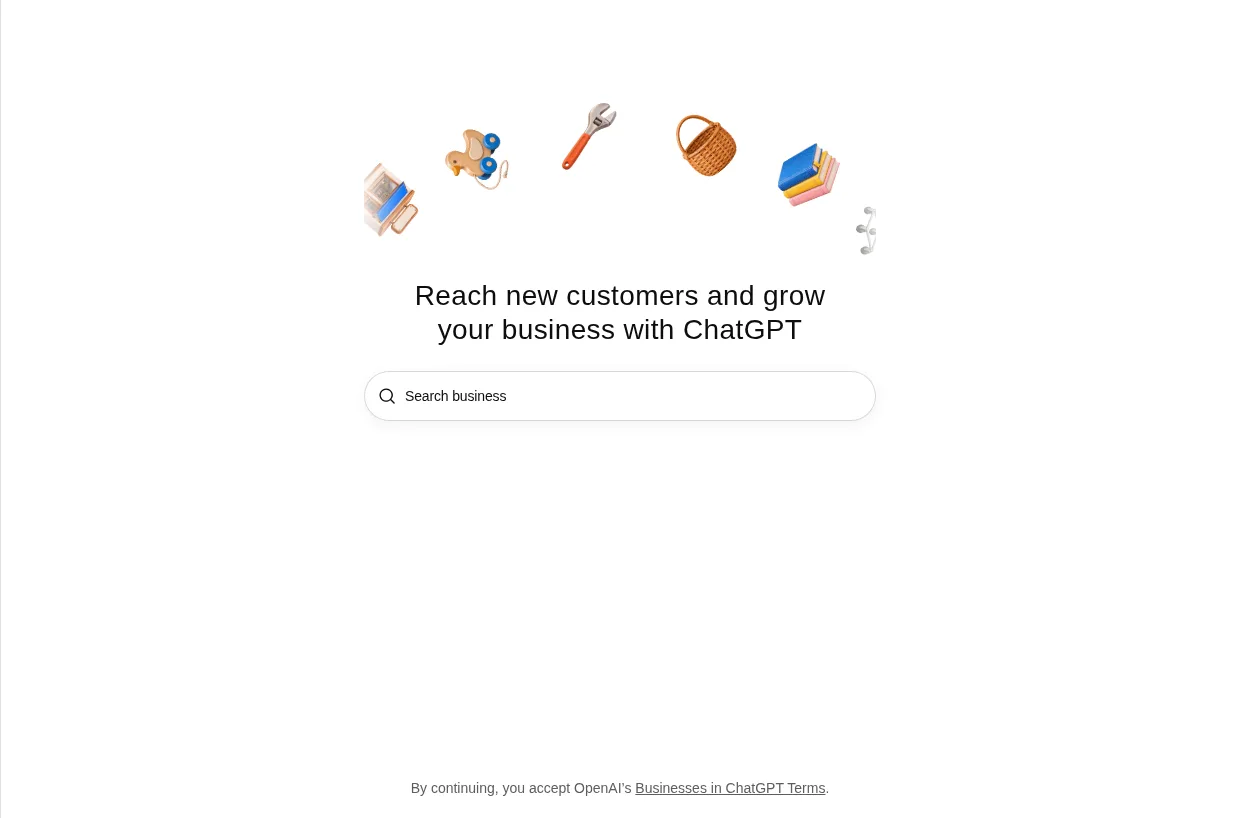
Step 2: Search for your business by name
Type your business name. You'll see one of four things, and each one tells you what to do next.
| What you see | What it means | What to do |
|---|---|---|
| Your listing | ChatGPT already has a profile for you | Select it and confirm the ChatGPT account you'll manage it from |
| Contact support | "Your listing is locked" | Select Contact support to request access |
| No listing, with an option to add it | You can create a new profile | Go to Step 3 |
| No listing and no option | Your business type or location probably isn't open yet | Check back. Keep working on your website and reviews meanwhile |
If you got a claim invitation by email, open the personal link and sign in with the address that received it.
When we searched for Searchmaxxed, Business Hub had no listing for us and offered to create one.
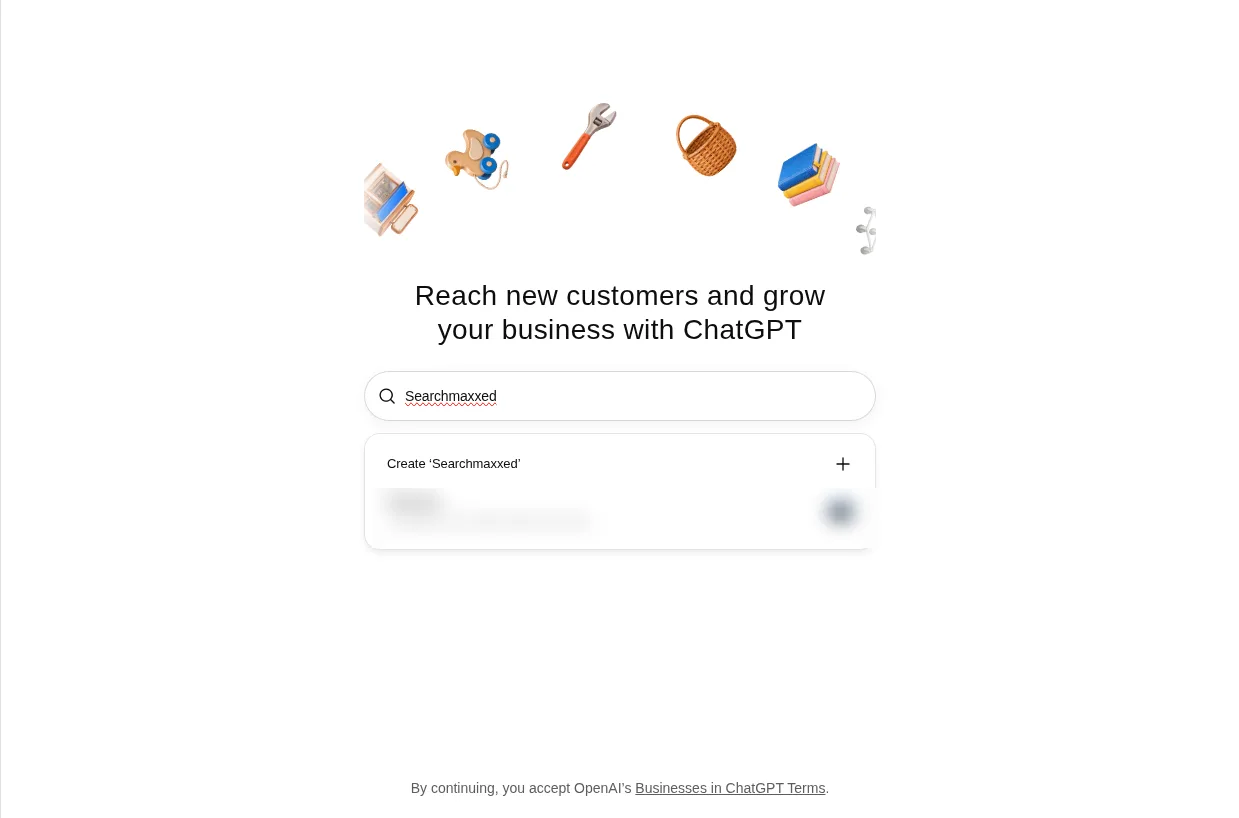
Step 3: Select your listing, or create one
Select the listing that matches your business and confirm the ChatGPT account, or, if there's no listing, take the option to create one. Check the name, address and website carefully. If two listings look similar (an old trading name, a second location), pick the one that's yours. Each brand is managed separately. "Claiming the main brand doesn't claim its locations."
Step 4: Answer "How do customers usually interact with [your business]?"
If you're creating a profile, the first question decides what kind of profile you get. On our screen (12 November 2026) it read "How do customers usually interact with Searchmaxxed?" with these two choices:
- At a physical location: "Customers visit a store, restaurant, office, or other location."
- Through a website: "Customers buy from your website or marketplace." (The day before, this option was labelled "Through an online store". Business Hub is in beta, so labels move.)
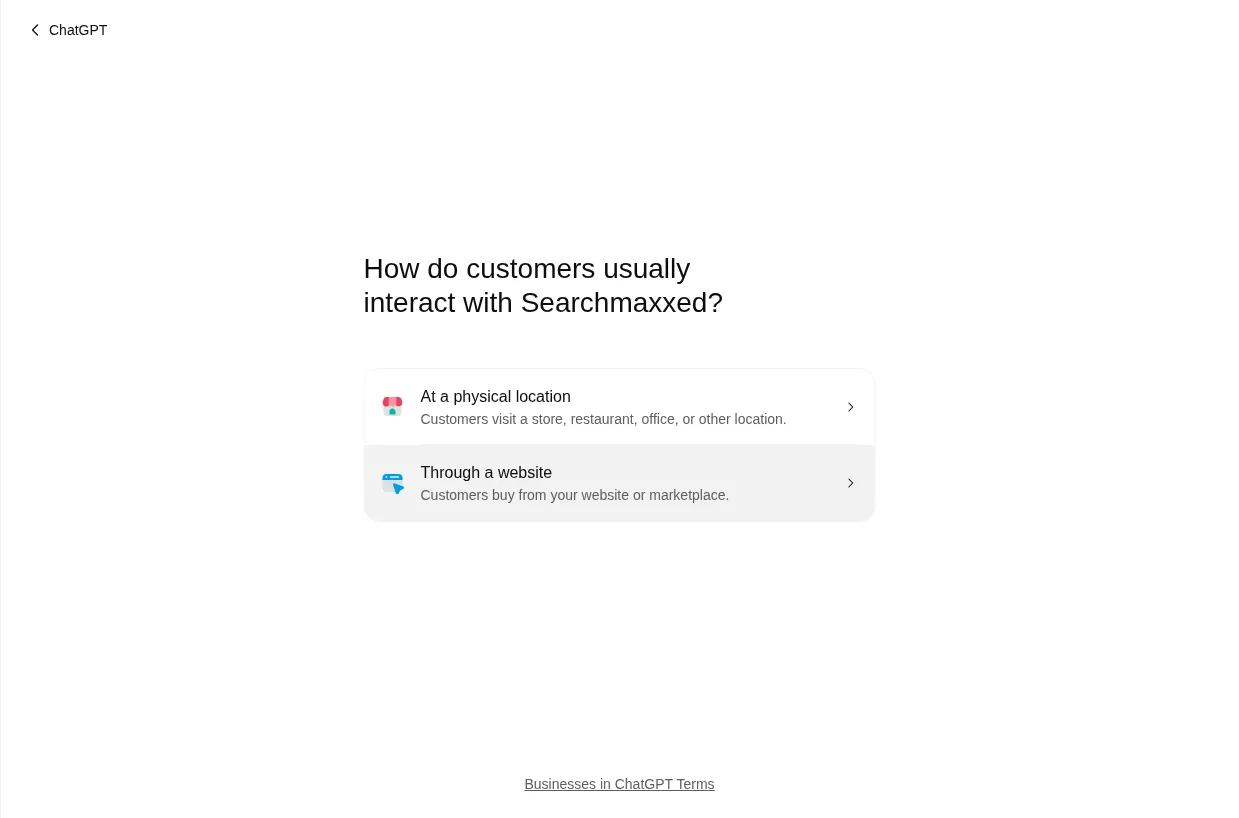
Both were selectable. There was no third option on our screen. Businesses that went through the flow on launch day reported a third, "Through a service," for businesses that visit customers or work remotely, marked "Coming soon" (Flavio Copes, 10 November 2026). Here's what each answer does:
- At a physical location builds a local profile. A local business's mentions count whenever ChatGPT shows a result for that location. Outside the US, a business that chose this path with no existing listing was sent to a waitlist (TKM Studio, November 2026), which fits OpenAI's rule that local stores and restaurants can claim only existing US listings for now.
- Through a website asks for your website ("Add your business website"), checks it, then asks you to prove you control the domain. In launch-week reports, the profile preview was built around a category, a delivery policy and a return policy, so the shop fields come first; a service business can leave those blank.
If none of the choices fits how you work, wait for the right one. A wrong business type is a wrong fact, and you'll be the one responsible for it. We chose Through a website: clients find Searchmaxxed and buy our packages through our website, and it keeps an address off the profile.
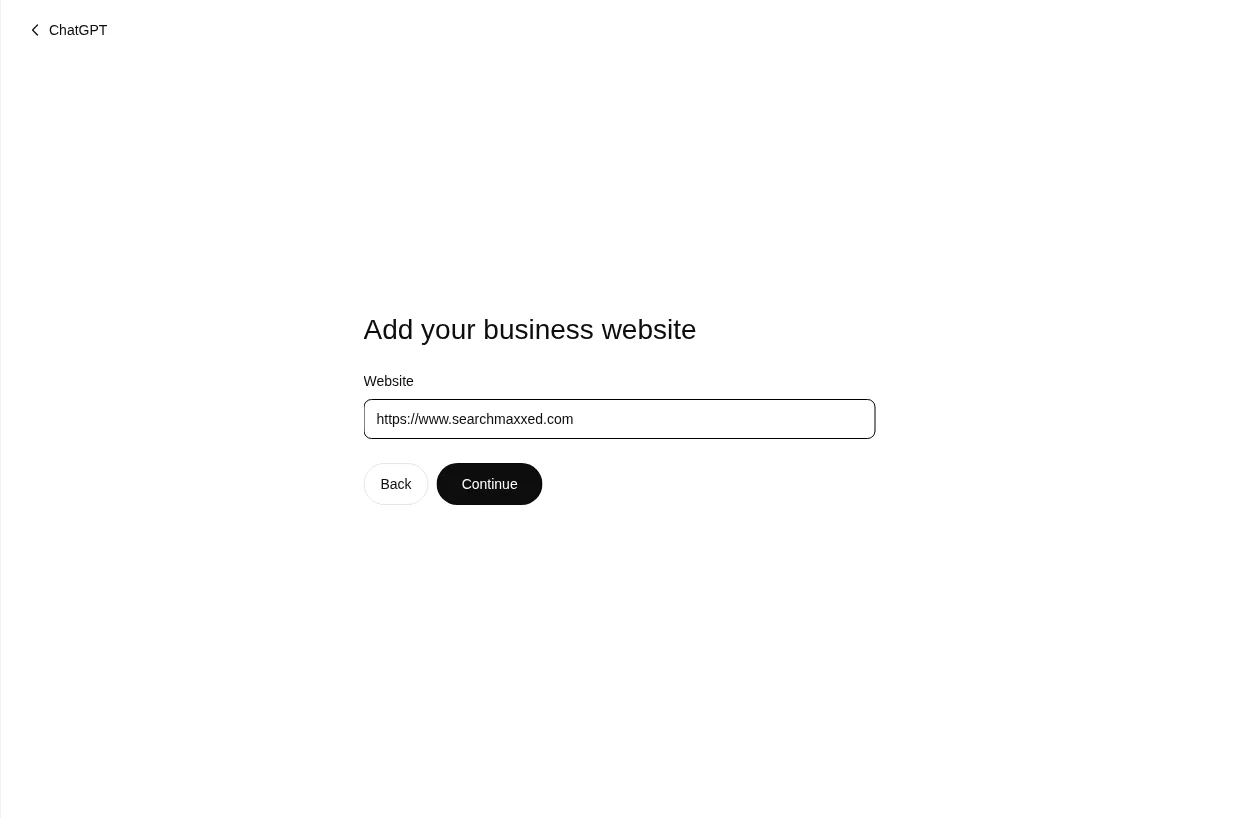
Step 5: Verify your claim
Choose one of the verification methods Business Hub shows you. You'll only see the methods that apply to your business, so you may not get all four. On the Through a website path, we were offered only one: the DNS record. No phone or email option appeared, so if you go this way, line up whoever manages your domain before you start.
| Method | What you do | Best for |
|---|---|---|
| Business phone | Choose a text message (SMS) or an automated call, select Get code and enter the code sent to the number shown | Local businesses with a listed phone line someone answers |
| Business email | Select Get code and enter the code sent to "the email address associated with your business" | Firms whose email address sits on their own domain |
| Website domain | Add the TXT record ChatGPT shows you to your domain's DNS settings, then select Verify domain | Anyone with DNS access, or a web developer who has it |
| Shopify store | Select Connect Shopify, review the permissions, select Log in to Shopify and sign in to the store you're claiming | Shopify merchants |
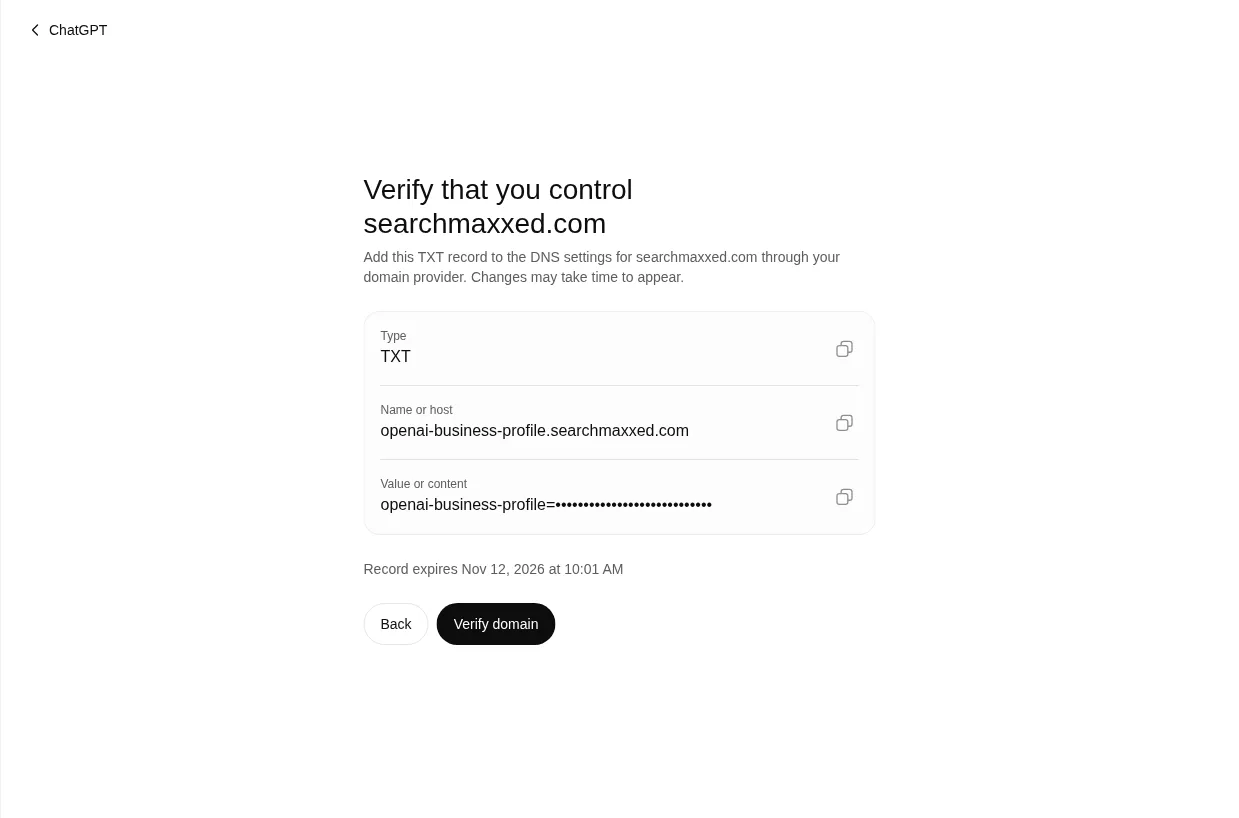
Which one should you pick? If Business Hub offers a choice, use whichever account you control right now. The email code goes to the address associated with the business, not one you type in, so if that's an old inbox nobody reads, use DNS. We verified Searchmaxxed by DNS, because it was the only option on our path.
For the DNS route, copy the type, the name (or host) and the value exactly. On our screen the record was a TXT record named openai-business-profile. followed by our domain, with a value starting openai-business-profile=. The value has an expiry time shown under it (ours lasted about half an hour), so add it straight away; if it lapses, start again and you'll get a fresh one. The record sits on its own subdomain, so it doesn't touch your website or email. If someone else manages your domain, OpenAI suggests asking them to add the record for you. DNS changes can take time to show up, so if Verify domain fails straight away, wait and try again before you change anything.
Step 6: Fill in the profile basics and submit
If you're creating a profile, Business Hub then asks a short run of questions. These are what customers see, so answer them the way you'd want ChatGPT to repeat them. On our run they came in this order:
- "Help people get to know [your business]." Pick a Business category. Business Hub suggests a few (ours were "Marketing agency", "Advertising agency" and "Copywriting service"), or choose from the list. Then add More about your business (optional): "Tell us what else you'd like customers to know, so ChatGPT can share it in conversations when helpful or relevant." It takes 300 characters at most, so write it before you start: who you help, what you do, and the result.
- "Help customers get in touch by including your contact information." Both fields are optional: Phone number and Email. If you add an email, Business Hub sends a code to it ("Enter the verification code sent to…") to confirm it's yours.
- "How do you offer delivery?" "We don't offer delivery", "Paid delivery" or "Free delivery". A service business picks the first.
- "What is your return policy?" "Returns not accepted", "Returns accepted, with fees" or "Free returns". This one shows on your profile, so check it against your terms (a service business usually has a refund clause rather than returns). Then select Submit.
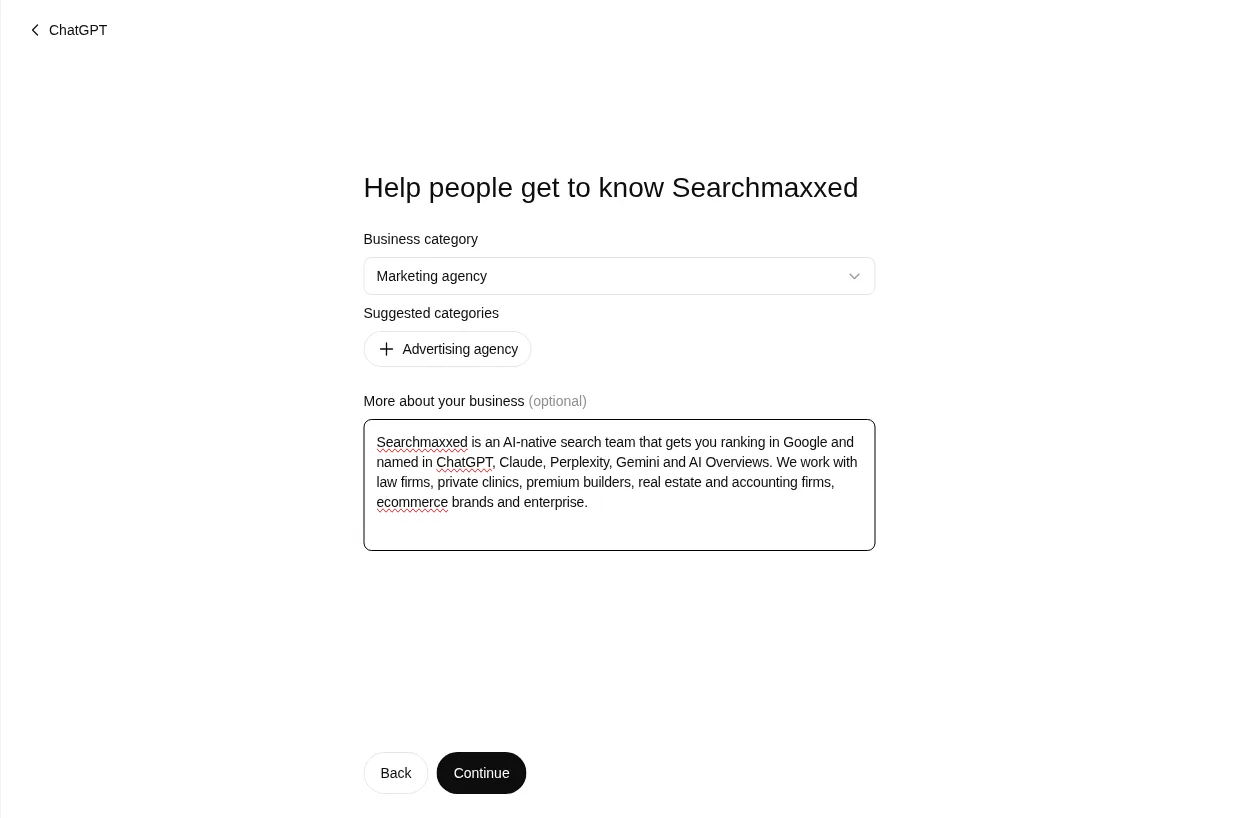
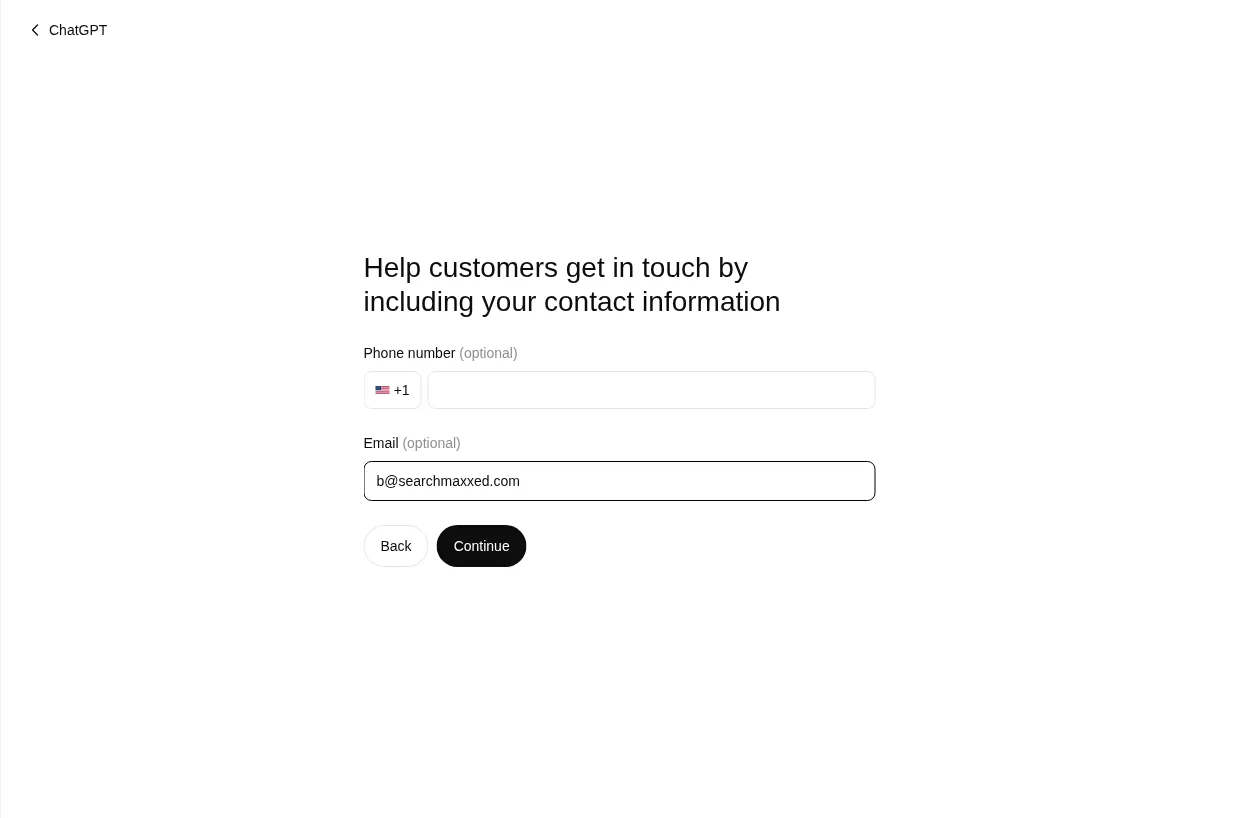
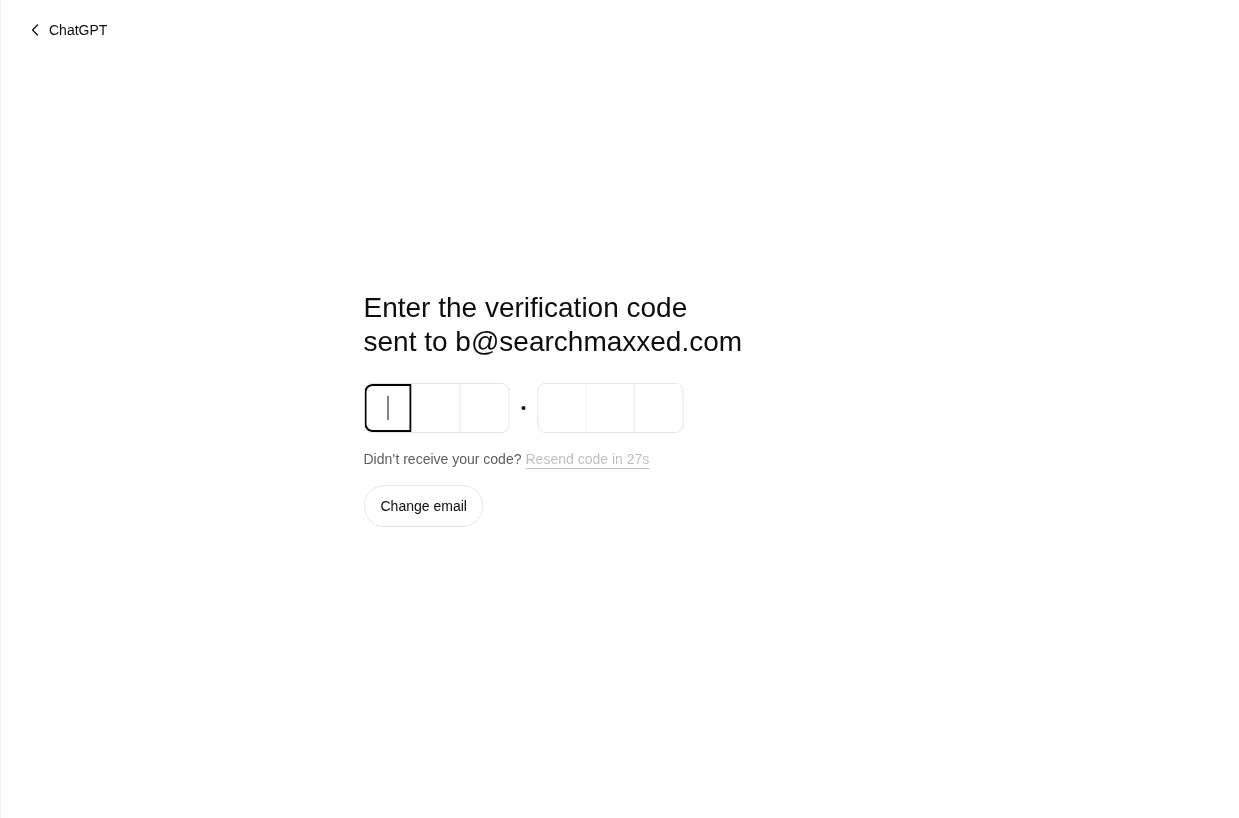
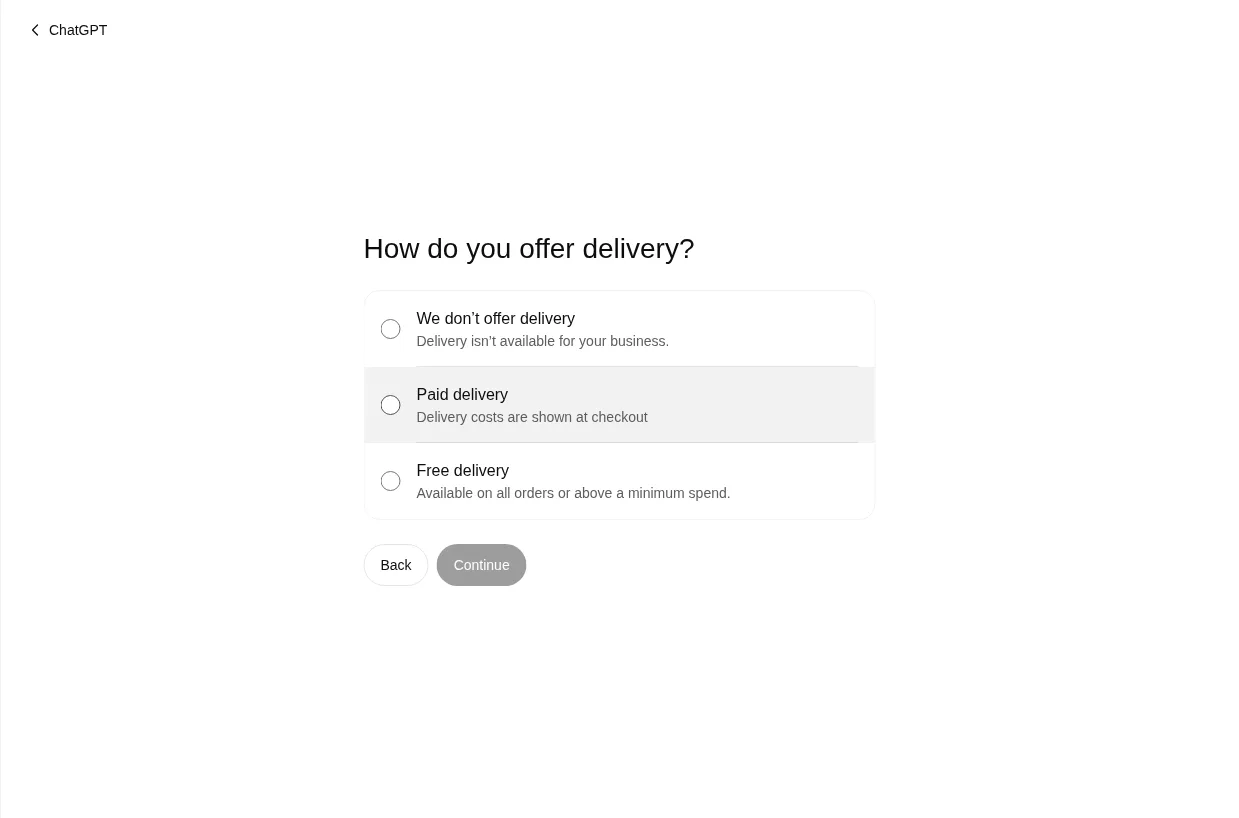
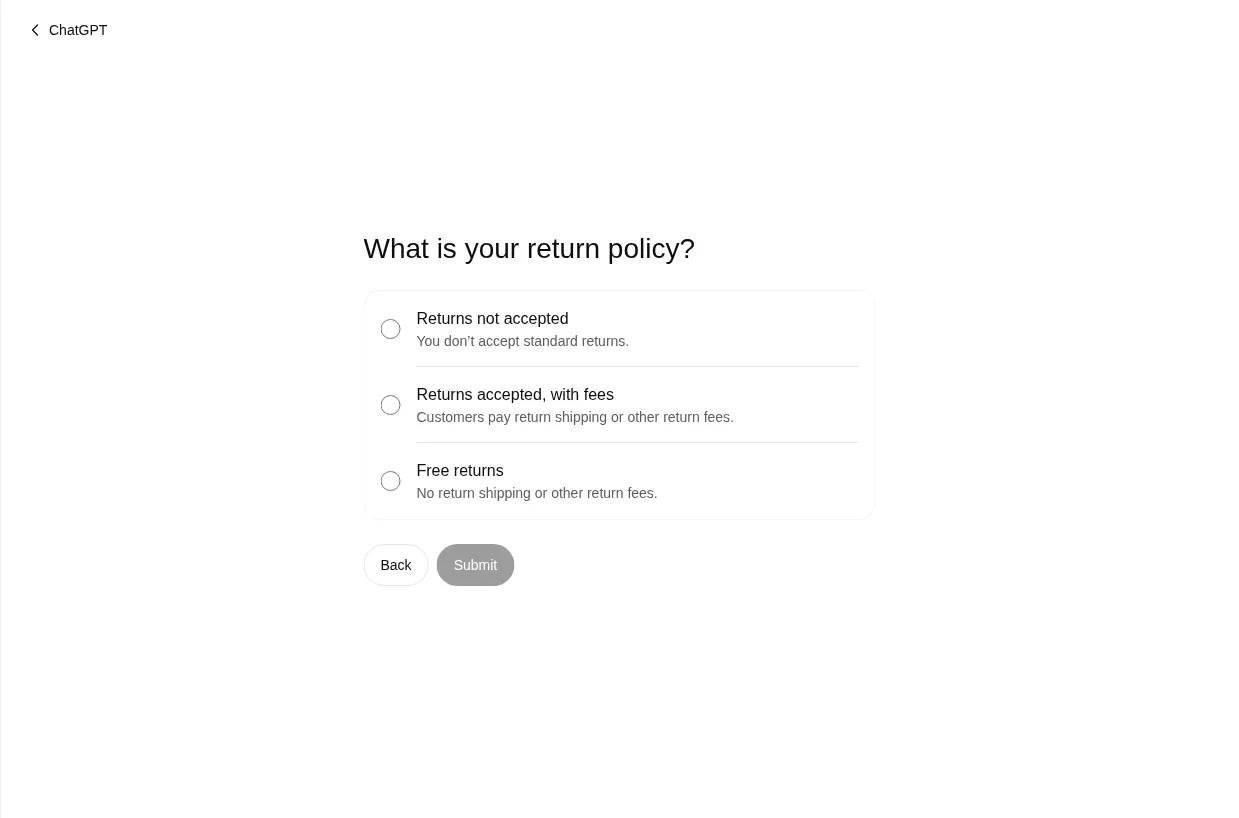
One thing we learned doing ours: the session doesn't wait for you: if you stop partway (we paused on the return policy to check our terms), it can time out with "Something went wrong. Your progress wasn't saved", and you start again. Have your category, 300-character description, contact email and return answer ready, and go straight through.
Step 7: Your draft is saved; wait for OpenAI to review it
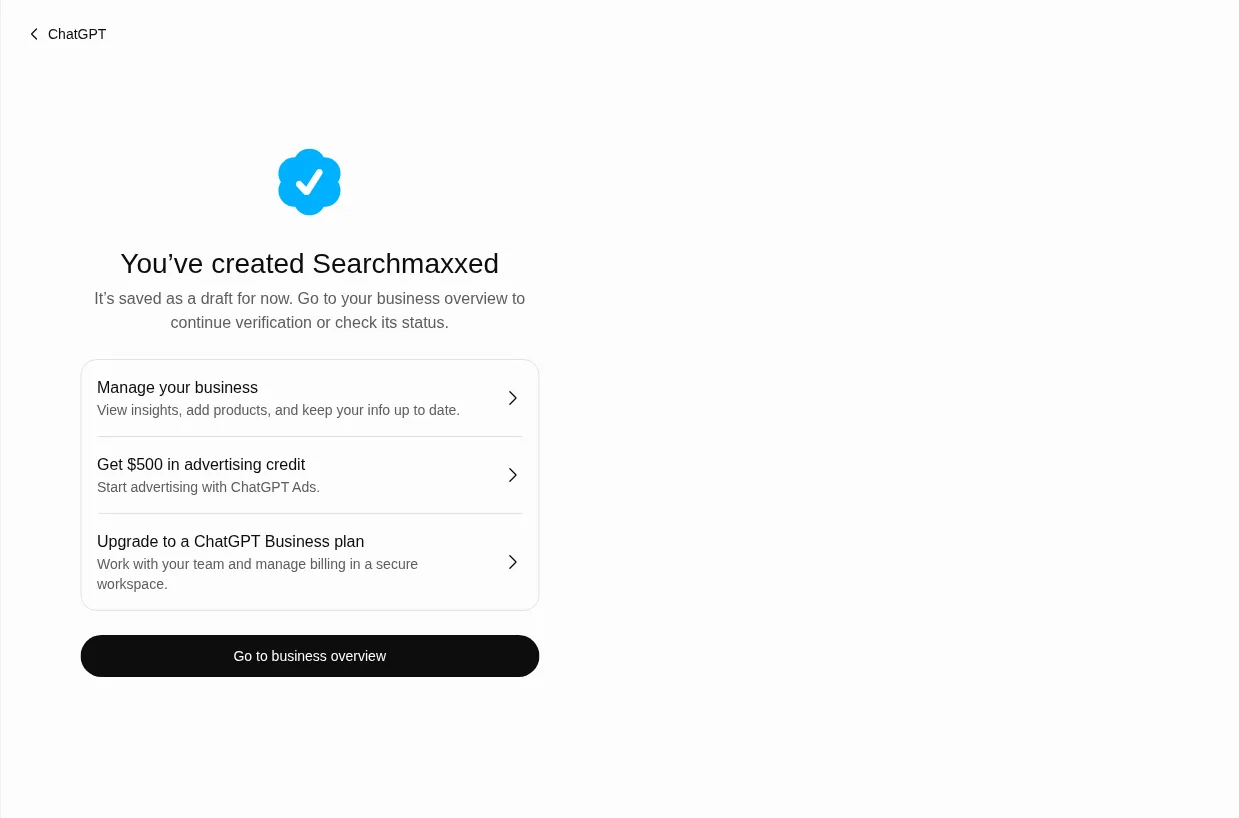
When we pressed Submit, Business Hub said "You've created Searchmaxxed. It's saved as a draft for now. Go to your business overview to continue verification or check its status." The same screen offers "Get $500 in advertising credit" for ChatGPT Ads and an upgrade to a ChatGPT Business plan. Both are optional and separate from your profile; you don't need either.
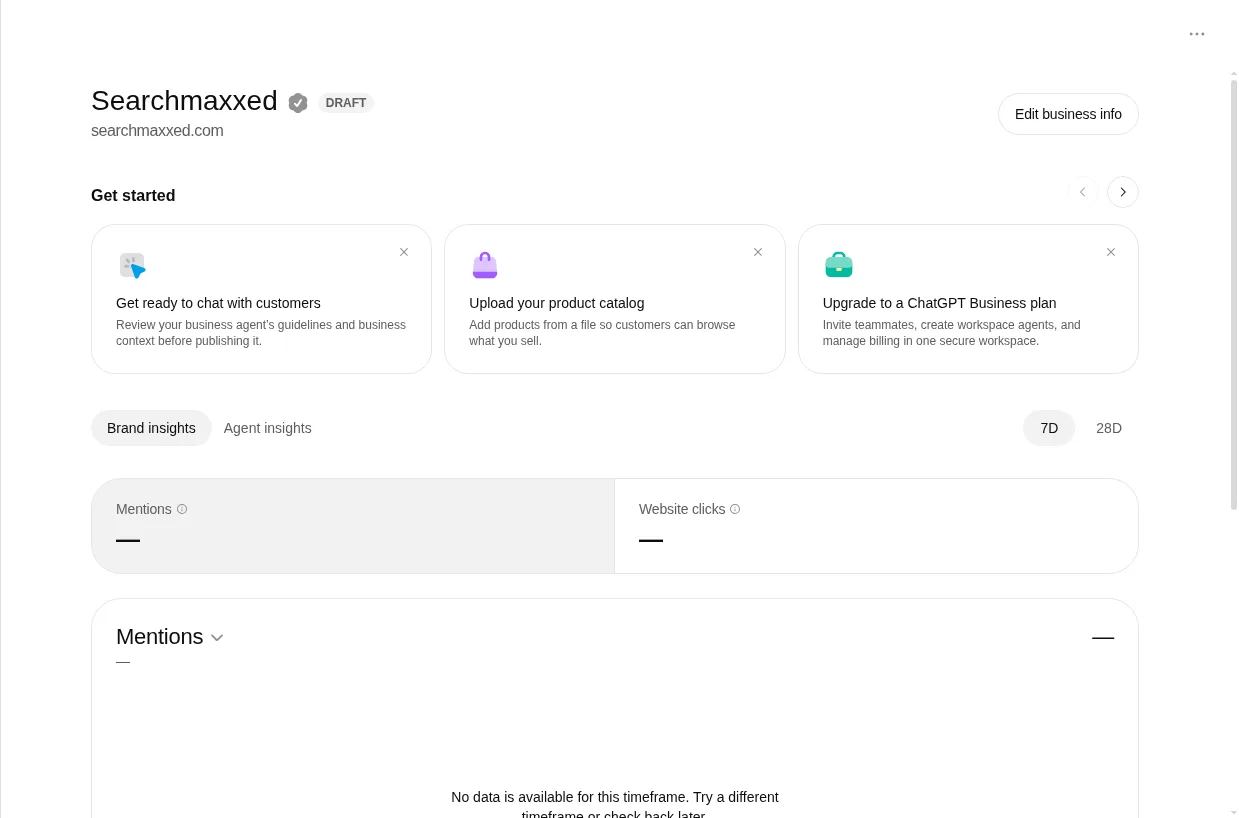
Your business overview then shows your name with a DRAFT label, an Edit business info button, and the insights panels (Mentions and Website clicks, over 7 or 28 days), empty until the profile is verified and published. If you claimed an existing listing instead of creating one, OpenAI reviews the claim and emails you its decision or a request for more information; while it's pending you can select Cancel claim. There's no published review time, so don't resubmit while you wait.
Step 8: Complete identity verification with Persona
Persona is the third-party identity check OpenAI uses, and it's where your profile becomes yours in practice. Until Persona is approved you can't publish changes, connect a product feed, view insights, create a Business Agent or get the blue check.
On our draft, the way in was Edit business info. It opened "Verify your business: Verify your authority to manage this business before editing its profile," with Start verification.
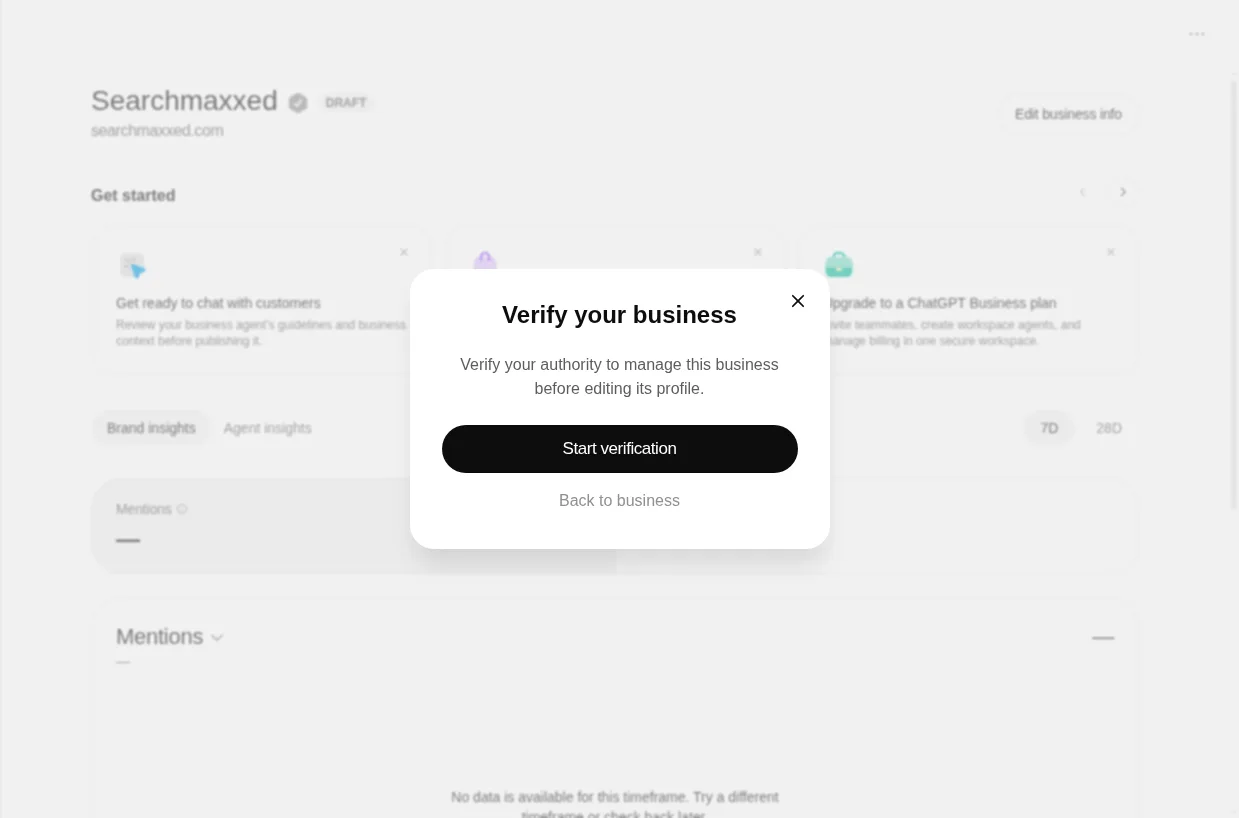
- Select Start verification (OpenAI's help guide calls it Verify with Persona, then Continue to Persona).
- OpenAI shows "Additional information required." It explains that your account information goes to Persona to verify your identity and is kept for no more than 7 days, and asks you to tick "I consent to the processing of my biometric information" (kept for no more than 30 days). Then select Begin Verifying.
- Follow Persona's instructions and submit what it asks for. OpenAI says that may include a government-issued ID, business registration information and proof that you're authorised to represent the business.
- Wait for OpenAI's decision by email. You can select Cancel submission while it's under review.
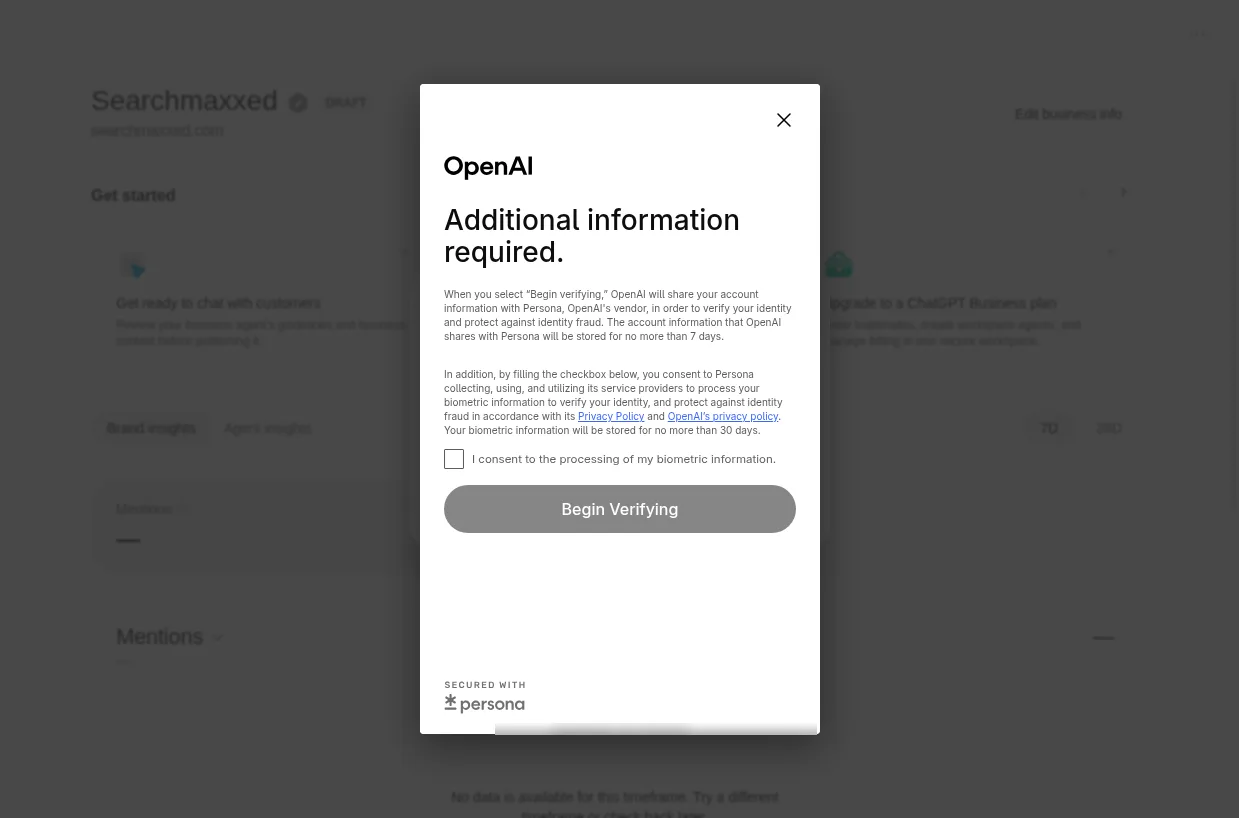
This is the owner's step, so it's where we stopped: the person who represents the business does the ID check themselves, and nobody else should do it for them.
If you verified another way first, you can do Persona later: open the Business tab, select your profile, find Complete verification with Persona in your business overview and select Verify.
Read this before you press the button. If you're using Persona to create a new profile, OpenAI's approval publishes it automatically. No separate publish step. And OpenAI Support can't delete, unpublish or hide a published profile. Only drafts can be deleted (Delete draft, in the three-dot menu on the profile's Overview page). So get your description, category and logo right before you submit.
If Persona fails or expires, follow the email. If Try again is available, resubmit with the business name, address and any registration or tax number matching your official records. Submitting isn't the same as approved.
Step 9: Check for the blue check, then fill in your profile
The blue check appears after your Persona verification is approved, not when your claim is. Once it's there, open your profile in Business and fill in everything that matters to a customer deciding whether to call you. The next section covers what you can change.
What can you edit on your ChatGPT business profile?
Once your claim and Persona verification are approved, you can update your website, business description, product or service category, logo, delivery policy and return policy, and add a cover photo and other optional details. OpenAI reviews each change before publishing it, and "updates can take time to appear in a listing or a ChatGPT answer."
Write the description the way you'd want ChatGPT to repeat it. Say who you help, what you do and where, in plain words: "A family law firm handling divorce, parenting and property settlements for clients in [your city]" gives ChatGPT a line it can use. "A trusted, client-focused legal partner" gives it nothing.
The policy rules are short and worth knowing:
- No fabricated reviews or endorsements, and no "unsupported guarantees."
- No false or misleading claims about prices, availability, qualifications or likely results.
- Nothing that hides material terms such as fees or conditions.
- Use only photos and logos you have the rights to, and links that go where they say.
One more thing. ChatGPT "may also use other sources when answering questions about your business." Your profile is one input. Fix your website, Google Business Profile and directory listings wherever they say something different, so every source tells ChatGPT the same story.
How do product feeds work in Business Hub?
If you sell products, you can connect a product feed to share prices and availability with ChatGPT. Shopify merchants connect their store and the catalogue comes across through Shopify; eligible Shopify products were already reaching ChatGPT through Shopify Catalog. Everyone else uploads a CSV that follows OpenAI's product feed specification, or gives a hosted URL that links to the feed file.
Products in the feed must follow OpenAI's Commerce policies. And as OpenAI puts it, connecting a feed "doesn't publish an agent or guarantee that ChatGPT recommends your products." Service businesses can skip this section.
What do Business Hub insights show?
Business Hub insights show aggregate activity over the past 28 days: mentions, website clicks and discovery topics. You'll find them under Insights once your claim and Persona verification are approved. You never see individual prompts or conversations, including chats with your own Business Agent.
| Metric | What OpenAI counts | What to read into it |
|---|---|---|
| Mentions (online business) | Times ChatGPT references your business's website. "The brand name alone doesn't count" | If retailers or directories get linked instead of you, your real presence is higher than this number |
| Mentions (local business) | Times ChatGPT "shows a result for that location, even if the customer doesn't open the listing or visit the website" | Closer to how often you appear at all |
| Website clicks | How often people click through to your website. The dashboard tooltip reads "Clicks don't confirm website visits or conversions" (Search Engine Roundtable) | Check against your analytics |
| Discovery topics | Common themes in ChatGPT answers that mentioned or cited your business | Themes, not prompts. A guide to the pages worth writing |
Three habits make the numbers useful:
- Don't panic at a blank. OpenAI says a blank metric can mean activity "hasn't reached the reporting threshold, data is still being collected, or reporting is unavailable." Smaller businesses may see blanks for a while.
- Save a copy every 28 days. The window rolls, so screenshot or note your numbers each month to build your own history.
- Count the clicks yourself too. Business Hub's own tooltip says clicks don't confirm visits, so check the visits and what they did next in your website analytics.
Discovery topics are the most useful part for planning. If every topic you're cited for is about emergency roof repairs and you also do full restorations, that's a page you're missing.
Can my agency or team manage my ChatGPT business profile?
Yes. The admin who claimed the business can add teammates in Business Hub and grant an agency access to manage the business or its agent. Each person uses their own ChatGPT account. Don't forward your personal claim invitation to give someone access; OpenAI says not to. If an agency invitation is blocked (invitations can depend on the account used to claim, such as a ChatGPT workspace), contact OpenAI Support.
Your agency can't do the claim for you. Persona checks that the person verifying is authorised to represent the business, so the owner or an authorised representative has to do that part.
What if your business is already claimed, or the listing is locked?
If someone else has already claimed your business, open its profile, select the more options menu (•••), then Dispute ownership, and verify with Persona that you're authorised to represent the business. OpenAI says claiming a profile or disputing ownership doesn't change its visibility in ChatGPT.
| Problem | Fix |
|---|---|
| You see Contact support | The listing is locked. Select Contact support to request access |
| Someone else claimed it | ••• then Dispute ownership, then verify with Persona |
| You run several brands or locations | Each brand is managed separately. "Claiming the main brand doesn't claim its locations," and location profiles for brands on a managed claim process stay locked by default. Ask your OpenAI account contact |
| Business Hub still says incomplete after approval | Contact OpenAI Support with the step, the error and a screenshot with sensitive details removed |
This is also why it pays to claim early. A verified owner is the simplest protection against someone else claiming your listing first.
What about Business Agents?
A Business Agent is an AI chat that answers customer questions about your products and policies, inside ChatGPT, in a conversation labelled as being with your business. Right now it's only for eligible ecommerce and online service businesses in the US, and it's optional: you can claim your business, edit it and see insights without one.
If you're eligible, you review the information it uses, preview it with a real customer question (OpenAI's example is "Can I return an item I bought on sale?"), fix anything it gets wrong, then select Publish. The agent can't complete purchases, make bookings or check an order; it links to your website for those. It must say it's AI, can't invent prices or reviews, and can't give advice that legally requires a professional licence.
Will claiming make ChatGPT recommend my business?
No. Claiming makes ChatGPT's facts about you accurate. It doesn't make ChatGPT choose you. OpenAI says it plainly: "ChatGPT continues to make independent recommendations and comparisons. Claiming does not guarantee higher placement or sales."
So where do recommendations come from? From what the web says about you: your site, your reviews, and the directories and lists in your category. When ChatGPT searches the web to answer "who should I hire?", it names the businesses the pages it trusts agree on. We measured this. In our AI search citation study of answers about hiring an SEO agency (2 and 3 November 2026), ChatGPT cited a directory or "best of" list in 78 of 100 answers. And across two identical runs in Australia, only 20% of the sites ChatGPT cited appeared both times.
The answer moves. It moves towards whoever the lists, reviews and articles name.
That's why a claimed profile is the floor, not the house. The house is:
- Your own website, with a page that answers each question your buyers ask, in plain words, with proof. Our guide on how to rank in ChatGPT covers the pages and the crawler access.
- The sources ChatGPT trusts for your category: directories, review sites, "best" lists and trade press. If a competitor sits on them and you don't, that's why ChatGPT recommends your competitor.
- Reviews in the places that get cited. Which platforms matter depends on your market; our piece on review sites in AI answers shows how to pick them.
Why does this matter, and why invest in search now?
It matters because the decision is moving into the answer. OpenAI says 1.2 billion people use ChatGPT every week. In G2's March 2026 survey of 1,076 B2B software buyers, 69% chose a different vendor than they'd planned because of an AI chatbot's guidance, and a third bought from a vendor they weren't familiar with (G2 via PR Newswire). For shops, Adobe found AI-referred visits to US retail sites converted 60% higher than other visits in July 2026 (Digital Commerce 360). Most of this data is from the US.
We've watched a claimed profile pay off before, on Google. Before Searchmaxxed, our founder Brenden House built Radiant Roof Repairs from zero to more than $1 million a year in revenue using SEO as the only marketing channel. Its Google Business Profile recorded 1,487 phone calls, mostly through Google Maps. The profile was where the calls landed. Behind it sat the pages, research, competitor checks and updates that earned the rankings.
Searchmaxxed's work has generated more than $15 million in revenue through search for its clients. We do that by going after the searches and AI answers that bring customers: we build the pages that answer your buyers' questions, get your name onto the lists, directories and review sites the engines cite, and track which searches and AI answers turn into revenue. A profile tells ChatGPT who you are. That work gives it a reason to recommend you.
Is Searchmaxxed right for you?
We're a good fit if you're a law firm, accounting firm, private clinic, premium builder or specialist contractor, real estate agency, ecommerce brand, cybersecurity company or enterprise, one new client is worth thousands to you, and you want to be the business ChatGPT, Google and the other AI engines name when buyers ask who to choose. You get the people doing the work, with no account manager in between.
We're not the right fit if you only need help claiming the profile. That's free, and the steps above are all you need. We're also not for businesses that need leads this month to survive, or anyone shopping for the cheapest retainer: search compounds, and it's built to keep paying, not to switch on overnight. See what's included in each program on our pricing page.
Your ChatGPT business profile checklist
- Search for your business in Business Hub this week
- Claim it from a company-owned ChatGPT account
- Pick the interaction type that's true for your business
- Verify by the phone, inbox, DNS or Shopify account you actually control
- Complete Persona with details that match your official records
- Write a plain description: who you help, what you do, where
- Match your name, address, phone and website across your site, Google Business Profile and directories
- Add teammates or your agency with their own accounts
- Save your insights every 28 days, and ask ChatGPT your buyers' questions to see who it names instead of you
Frequently asked questions
How do I claim my business on ChatGPT?
Sign in to ChatGPT, open Business Hub from the sidebar, search for your business and select its listing, or create one if Business Hub offers it. Verify by business phone, business email, a DNS TXT record or your Shopify store. OpenAI reviews the claim by email. Then complete Persona identity verification to get the blue check, edit your details and see insights.
Is it free to claim my business on ChatGPT?
Yes. OpenAI lists no fee for claiming, and you don't need an Ads account or a ChatGPT Enterprise agreement. Advertising, including sponsoring a Business Agent, is a separate paid product, and OpenAI says it doesn't influence ChatGPT's independent answers.
Can Australian businesses claim a ChatGPT business profile?
Yes, if the business is eligible. Any eligible business located where ChatGPT is available can claim through Business Hub. If your customers buy through your website, you can create a new profile: we created Searchmaxxed's, an Australian business, on 12 November, verified by a DNS record. Local stores and restaurants can currently claim only an existing US listing, and Business Agents are US only for now.
Why doesn't my business have a blue check yet?
The blue check appears only after your Persona identity verification is approved. An approved claim on its own doesn't add it. If Business Hub still shows verification as incomplete after OpenAI told you it was approved, contact OpenAI Support.
Can a service business like a builder or agency claim its profile?
It can claim an existing listing if one exists. To create a new profile, Business Hub asks how customers interact with you. If customers buy your services through your website, "Through a website" fits. For businesses that visit customers, there was no option on our 12 November screen (launch-day reports showed "Through a service" as "Coming soon"). Until one opens, put the effort into your website, reviews and listings.
What counts as a mention in Business Hub?
For an online business, a mention counts when ChatGPT references your website; your brand name on its own doesn't count. For a local business, a mention counts when ChatGPT shows a result for that location, even if nobody opens it. Insights cover the past 28 days.
Can I see what people asked ChatGPT about my business?
No. Businesses don't receive individual prompts or conversations, including chats with their own Business Agent. Discovery topics show common themes in answers that mentioned or cited you, which is enough to see which subjects you're found for.
Does claiming my business help it show up in ChatGPT?
It helps ChatGPT get your details right, but it doesn't guarantee more visibility, and OpenAI says it gives you no direct control over ChatGPT's independent recommendations. Those follow your website, your reviews and the directories and lists that name you.
Get named, not just listed
Claim your profile this week; it's free and it's yours. Then find out where ChatGPT and Google name your competitors instead of you. Your free growth plan checks Google and AI answers for 10 of your buying questions, shows the top three competitors named in them and the sources behind each, and lays out the first moves for the next 90 days, walked through with you on a 30-minute call.